

Shopify Dropshipping: The Ultimate Dropshipping Guide 2023
Dropshipping is an order fulfillment method to sell products online from third-party suppliers – such as a manufacturer, a wholesaler, or a retailer. Dropshipping is a flexible way to run your business, and it’s supported by the majority of the largest ecommerce platforms—including the biggest of them all, Shopify. Because we believe in making life easier for ecommerce entrepreneurs, we’ve created this ultimate Shopify dropshipping guide to help you start your own successful Shopify dropshipping business.
What is dropshipping?
Dropshipping allows you to sell products online without having to worry about storage, fulfillment, or shipping. Instead, your supplier or manufacturer ships the product directly to your customer once an order is received. Meaning, you don’t ever have to touch the product or worry about managing a warehouse.
How does Shopify work?
Shopify works as the foundation for your ecommerce business. It’s an ecommerce platform that provides entrepreneurs with the skeleton they need to start and design their store, and its back end lets you run your business without any hosting fees. You’ll need to pay Shopify’s fairly priced monthly fees, and then your ecommerce store will run without any hitches, letting you rely on Shopify to keep your store up and running while you focus on making sales and scaling your business. Shopify is completely cloud-based and hosted, which means you can access it from any connected compatible device and we’ll handle software and server upgrades and maintenance for you. This gives you the flexibility to access and run your business from anywhere with an internet connection.
Why consider dropshipping on Shopify?
Dropshipping is the perfect business model for entrepreneurs looking to set up their own business with little upfront investment, and Shopify is the simplest platform you can use to create and run your store.
When you dropship on Shopify, you’ll never need to worry about excess inventory, as you’ll only ever order the necessary amount of products to meet the demand from your customers. This system is unlike a typical ecommerce business, which involves either manufacturing products or purchasing products from a wholesaler in bulk.
7 Steps to Start Dropshipping on Shopify
Here are the steps you need to take to open a dropshipping store with Shopify.
1. Choose a store name
This is the first step you’ll take toward opening your Shopify dropshipping store. Follow these tips for coming up with a name for your online store:
- Keep it simple & creative
- Make it memorable
Shopify makes it easy to brainstorm creative name ideas for your dropshipping store. All you have to do is use Shopify’s online business name generator, enter any word you would like your business name to include, and click on “Generate names.
2. Create a Shopify account
Enter your email address in the empty field on the next screen. You’ll be asked to create a password for your account and to enter the name you’ve decided on for your Shopify dropshipping store.
Next you’ll need to fill out a couple of questions about your experience with ecommerce, along with a few personal details.
Once you’ve completed this, your Shopify account will be up and running. Then you’ll need to configure the settings to launch your Shopify dropshipping account.
3. Optimize your settings
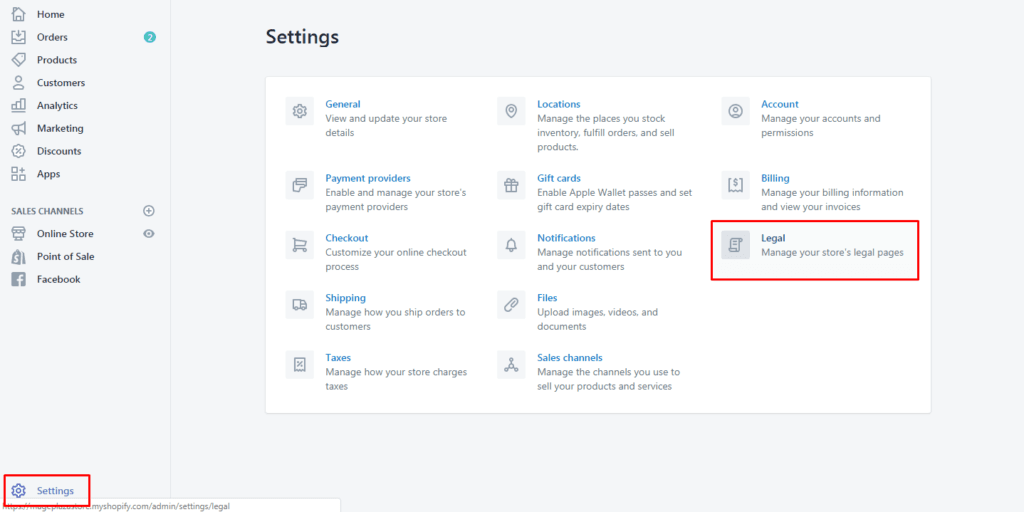
We’re going to go through the settings of your newly created Shopify account. This step is essential for setting you up to receive money from your customers, creating your store policies, and establishing your shipping rates.
Payment information
The first thing you need to do is set up payments for your Shopify dropshipping store. To add payment information, you’ll need to access Shopify’s Settings page. Simply select the Payments tab on the left and add your payment information.

Store policies
When you’re launching your own Shopify dropshipping store, you’ll need to make sure you have created the necessary store policies. Shopify has a bunch of helpful tools that automatically generate a standardized privacy policy, refund policy, and terms and conditions for your store.
Shipping rates
It’s critical that your Shopify dropshipping store has clear shipping rates. We recommend that you always offer free shipping, as this is the easiest option. If you offer different shipping rates for various regions, it can become confusing, so simply incorporate your shipping fees into the price of your products and make shipping free.
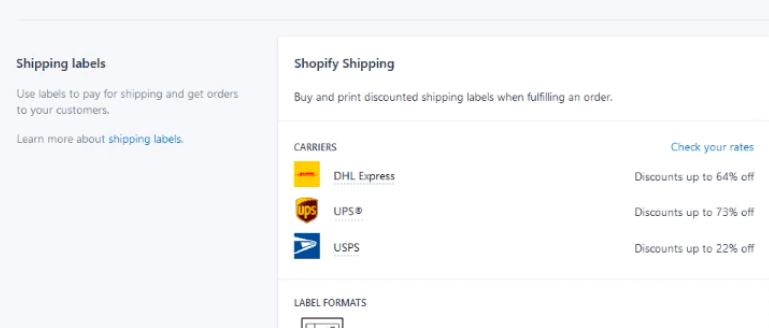
Delete all domestic shipping zones and add “Free International Shipping” into the Rest of World section. Then select Rate: Free Shipping Rate, and you’re set.
4. Launch your Shopify dropshipping store
You’ve now added all the necessary information you’ll need to launch your Shopify dropshipping store.
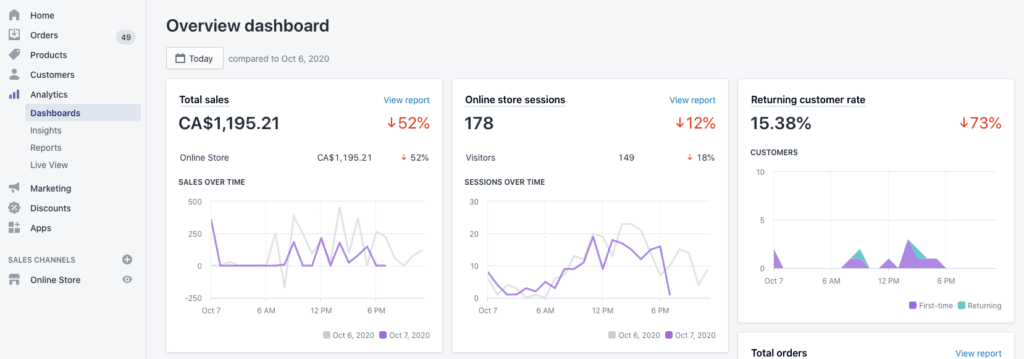
To launch your store, simply go to the Sales Channels tab on your Shopify admin dashboard. From there, select the “Add an online store” option.
5. Work on your store’s design
Shopify dropshipping guide, we’ll go over the importance of design for your ecommerce store and highlight some key points for you to consider. The design of your Shopify dropshipping store will hold great importance, as it will be how you’re presenting your store and your brand.
When it comes to designing a Shopify dropshipping store, there are two main aspects you’ll need to consider: your theme and your logo.
Picking a theme on Shopify
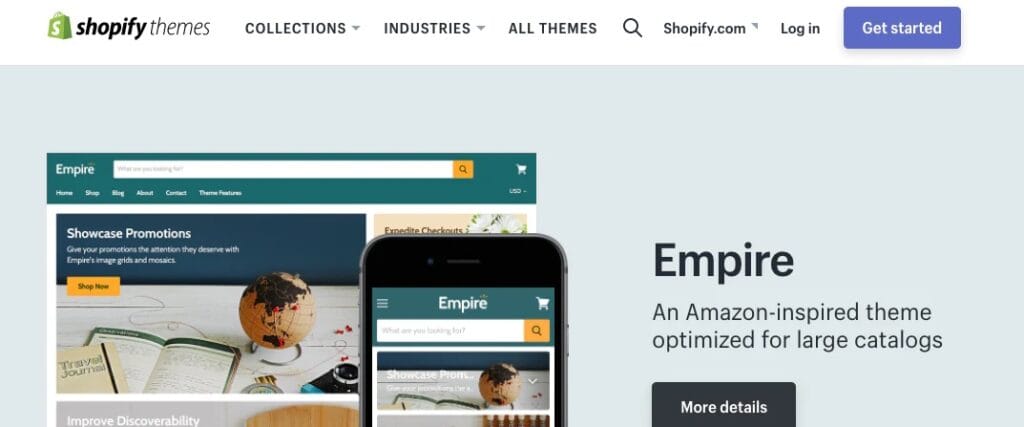
Shopify has a theme store where you can source a wide variety of themes. You will find both free options and premium options there. Take a look around and decide on the best theme for your store based on your financial resources-if you’re starting your store with a tight budget, we’d advise choosing a free theme.
We understand that it can be tricky to decide which theme you should choose. To make it easier for you, we’ve written a post to help you decide which option is best for your Shopify dropshipping store. It covers topics such as what you should consider before selecting a theme, details about free Shopify themes, how to customize Shopify themes, and much more.
Creating a logo for your store
Creating a logo might sound like a tough and time-consuming task. But with Shopify’s free online logo maker, you’ll be able to generate your preferred logo in less than a few minutes. All you have to do is experiment with fonts, colors, icons, and positioning for you to develop the perfect logo for your brand.
6. Dropship on Shopify with DSers
To add products that you can dropship, you’ll need to install the DSers app, which is one of the best Shopify tools for ecommerce entrepreneurs who want to import dropshipped products to their store. AliExpress and DSers are seamlessly integrated, so you’ll be able to start importing and offering products from Day 1.
When you’ve installed DSers with Shopify, you’ll need to add a category to your Shopify store. Name this category after the type of products you’ll be selling. If you’re thinking about starting an online t-shirt business, simply name this category “T-shirts.”
If you’re looking for product ideas, check out our list of unique dropshipping products. And, if you’re interested in understanding how to choose products to sell, be sure to check that out too.
With the DSers installation complete, you can use the app to search for AliExpress products that you’re interested in selling. Click the Import button on any products you’d like to sell and they’ll be imported directly into your Shopify dropshipping store.
7. Make your first sale

Now it’s time to start making sales and earning money with your Shopify dropshipping store. It’s unlikely you’ll generate a huge volume of traffic by simply launching your store, so we recommend that you use marketing campaigns to draw potential customers.
Take a look through the various available marketing channels, and do some research to find out which one will work best to drive traffic to your Shopify dropshipping store. If you think you’ll excel with Facebook advertising, then test out some campaigns. If you want to try your hand at TikTok or Instagram, go for it. The most important thing is to keep testing. You’ll soon find out which marketing strategies work best for your ecommerce business.